Answer the short questions below. We will show you the best place to begin.
Before you start:Open this in Safari (iPhone) or Chrome (Android), not inside TikTok or Instagram. Your answers save to the browser you use, so keep using the same one.
YOUR STARTING POINT
Tell us where you are right now.
There is no wrong answer. We will point you to the best first step.
Your personal starting step will appear here.Choose the answer that sounds most like you, then press the button.
New to all of this? Read the quick lesson first (about 10 minutes).
OPTIONAL QUICK LESSON
Learn it like you are brand new.
You do not need to know your topic, have a product, or understand marketing words yet. Flip through the lesson for the big picture, then follow the eight steps.
QUICK LESSON
START HERE
Why I built Become Worth Following.
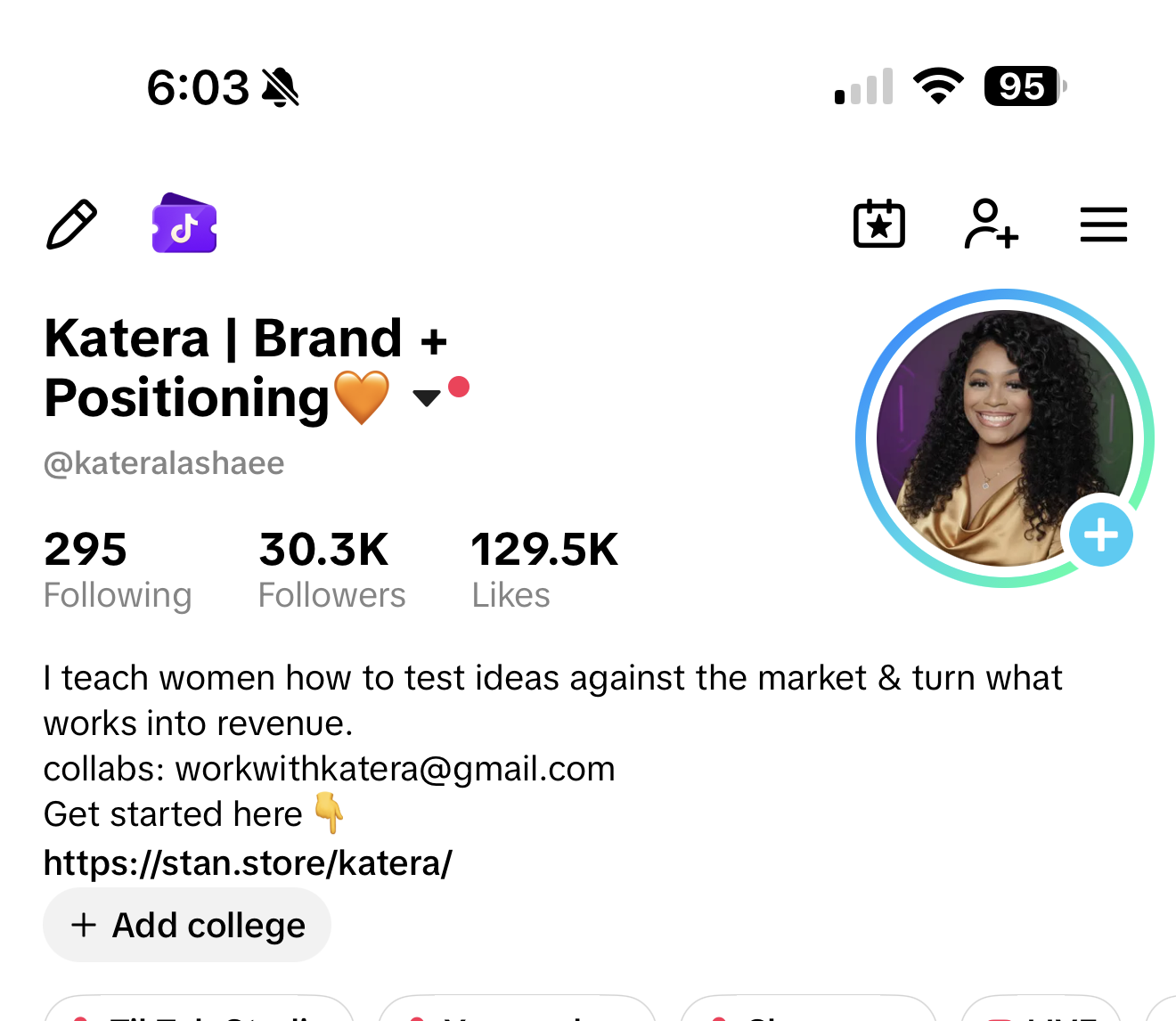
I am Katera Patterson. I built an audience of more than 30,000 people and generated more than $200,000 through my digital business. I created this because making a product is only one part of the work. People also need a clear reason to find you, follow you, trust you, and take the next step.
This is not a promise that every person will get the same result.It shows what can happen when your topic is clear, your content is useful, and you take consistent action.
START HERE · PAGE 02
02
First, choose what you want to be known for.
A niche is the main topic people will know you for. It does not have to be perfect or permanent. It only needs to be clear enough for you to start.
TOO WIDE
“I talk about lifestyle.” A new person will not know what they will learn.
CLEARER
“I help busy moms make easy freezer meals.” Now the person and the help are clear.
If you do not know your niche yet, start here: What are your hobbies? What do people ask you for help with? What have you learned to do? What hard thing have you figured out? You will use a generator to turn those answers into choices.
START HERE
Your experience can become something useful.
You do not have to be the best in the world. You need to know enough to help someone who is a few steps behind you.
Your skill can give you a topic. Beginner questions can give you content. A clear next step can give interested people a way to keep learning from you.
Your skill does not have to sound “business-like.”Cooking, organizing, doing hair, budgeting, editing, teaching, decorating, or solving a problem in your own life can all become useful content.
TIKTOK · PAGE 05
05
Here is where TikTok fits into the strategy.
TikTok is your testing ground. It helps you put your message in front of people quickly so you can learn which topics, questions, hooks, and offers make the right person pay attention.
STEP 1 · TEST ON TIKTOKTeach one useful idea.Watch what earns follows, comments, questions, saves, and clicks.
→
STEP 2 · KEEP THE WINNERSRepeat what people respond to.Turn repeated questions into more videos, a signature series, or an offer clue.
→
STEP 3 · BUILD ON PINTERESTMake the proven idea searchable.Use clear keywords so people can continue finding it after the TikTok post is old.
TikTok gives you fast feedback. Pinterest gives useful ideas a longer life.You are not creating two unrelated content plans. You are learning on TikTok, then using what you learn to build searchable Pinterest traffic around the same business.
TIKTOK · PAGE 09
09
A Signature Series gives people a reason to return.
A Signature Series is one useful topic broken into small videos. Each video teaches one step. The name stays the same so people recognize it.
TOO RANDOMEditing tip of the day
→
EASY TO FOLLOW10 Days to Edit Better Videos on Your Phone
DAY 1Choose the right editing app.DAY 2Cut out pauses.DAY 3Add easy captions.DAY 4Fix dark lighting.
Later, the generator will help you name your series and plan the first lessons. You do not have to create it alone.
TIKTOK · PAGE 11
11
Use the response to choose what comes next.
After you post, do not only ask, “Did it go viral?” Look for clues.
IF PEOPLE WATCH BUT DO NOT FOLLOW
The video may be interesting, but your page or next promise may not be clear. Improve your bio and tell them what they will learn next.
IF PEOPLE ASK QUESTIONS
That is a good sign. Answer each useful question with another video.
IF PEOPLE LEAVE QUICKLY
Make the first sentence clearer. Tell them exactly what the video will help them do.
IF ONE TOPIC BRINGS FOLLOWS
Teach that topic again with a different example or the next step.
PINTEREST · PAGE 12
12
Pinterest is a search engine—not another Instagram.
People open Pinterest because they are looking for an idea, answer, product, or next step. TikTok helps you test what gets attention now. Pinterest can keep helping the right person find that useful idea later.
THE PERSON SEARCHESeasy phone editing tips
→
YOUR PIN CAN APPEAR5 Easy Phone Editing Tips for Beginners
Your job is to match the search.Use the plain words the person would type, give them a useful reason to click, and send them to one clear next step.
PINTEREST SEO · PAGE 13
13
SEO means helping Pinterest understand your content.
SEO sounds technical, but the job is simple: use clear search words in the places Pinterest reads so it knows who should see your content.
1FIND THE WORDS. Type your topic into Pinterest and copy the phrases it suggests.2USE THE WORDS. Add them naturally to your profile name, bio, board names, pin title, and description.3STAY ON TOPIC. Save and create content that fits the same niche so Pinterest is not confused.
Example:If Pinterest suggests “budgeting tips for beginners,” use that complete phrase where it fits. Do not stuff the same word into every sentence.
PINTEREST · PAGE 14
14
Turn one search phrase into a complete pin.
1 · PICTURE OR VIDEOMake the subject clear, bright, and easy to understand on a phone.2 · TITLEUse the search phrase and promise the help. Example: “Budgeting Tips for Beginners: 5 Easy Steps.”3 · DESCRIPTIONTell them what they will learn, use the phrase naturally, and tell them to click.4 · RIGHT BOARDSave it to a board with a matching name—not a random folder.
A pin is a doorway, not the whole lesson.For a digital product, cold Pinterest visitors may need a helpful free resource before the paid offer. For an affiliate product, send them to the approved shopping destination and clearly tell them to click.
CONNECT IT · PAGE 15
15
Tell people exactly where to go next.
A next step is often called a “call to action.” It simply means telling the person what to do after the post.
IF YOU HAVE A PRODUCT“Click the link to get the full course.”
IF YOU HAVE SOMETHING FREE“Download the free checklist from my link.”
IF YOU ARE STILL FIGURING IT OUT“Join the waitlist” or “Follow for the next lesson.”
Choose one clear next step.Do not send a confused beginner to five different places at the same time.
YOUR PLAN · PAGE 16
16
Now you know the whole path.
CHOOSEPick one topic and one beginner to help.TESTTeach it on TikTok for 10 days and watch the response.BUILDTurn useful ideas into searchable Pinterest content.CONNECTSend attention to one product, free resource, service, or affiliate destination.
You do not have to remember all of this.Every section is open. Follow the starting path above and use the generators to build each part one step at a time.
📱
Add this tool to your phone Home ScreenSee the steps for iPhone or Android.
iPhone
Open this page in Safari.Do not use the browser inside TikTok or Instagram.
Tap the Share button.It looks like a square with an arrow pointing up.
Tap “Add to Home Screen.”You may need to scroll down.
Tap “Add.”The icon will appear on your Home Screen.
Android
Open this page in Chrome.Do not use the browser inside TikTok or Instagram.
Tap the three dots.They are usually at the top right.
Tap “Add to Home screen.”Follow the prompt that appears.
Tap “Add.”The icon will appear on your Home Screen.
Important: Your answers and progress are saved in the browser you use. Keep using the same browser and device, and do not clear its website data.
Bought the Pinterest + AI Models class?
Become Worth Following is not another lesson on creating an AI model or digital twin. That class teaches that piece. This tool helps you build the audience, content, traffic, and clear next steps around the product or business you are creating.
You can also use this tool with any skill, service, offer, or business product. It works alongside your other resources; it does not depend on them.
Step 2 of 8Set Up Your Accounts
STEP 2
Set Up Your Accounts
CHECK OFF EACH STEP
Create the accounts first. You will write the profile words with the generators in Steps 3 and 4.
0 of 10 steps complete
T
PART ONE
Make your TikTok account
1. Download TikTok or open the website.
Use the TikTok app on your phone. Tap the link below if you need the official website.
A niche is simply the main topic people will know you for. You do not have to guess it. We will look at what you enjoy, what you know, and what people already ask you about. Then this tool will give you several directions to choose from.
NICHE IDEA GENERATOR
Answer these like you are texting a friend.
Write anything that comes to mind. The generator will pull the useful parts together and turn them into clear niche choices—it will not simply repeat your sentences.
YOU ARE READY.Press the large orange button below. Your niche choices will appear underneath it.
Your ideas will show up here. You will be able to choose one or edit it.
TURN YOUR TOPIC INTO A SIMPLE PLAN
Now make the idea clearer.
No product? That is okay. You can start by teaching. The questions and comments you receive will help you decide what to make later.
YOUR CLEAR DIRECTION
Answer the questions and choose a topic. Your clear direction will appear here.
LEARNWatch what gets follows, comments, and questions.
“We are not only trying to go viral. We are learning what the right people want to hear from us.”
REAL STUDENT RESULT
Jasmine went from 100 followers to 1,000 in 10 days.
Jasmine was already good at editing videos. That was her skill. We helped her turn that skill into content people wanted to learn from, then helped her create an editing course.
After losing her old TikTok account, she started again, followed the strategy, reached 1,000 followers in 10 days, passed 2,000 afterward, and became eligible to apply for TikTok Shop by Day 15.
Her story shows why your everyday skill matters. Something that feels easy to you may be exactly what another beginner needs help learning. Her result is real, but it is not a promise that everyone will grow at the same speed.
STEP 1 · DECIDE IF YOU NEED A NEW ACCOUNT
Should you start over or keep the page you have?
Choose the path that matches the audience you want now.
STEP 2 · TIKTOK BIO GENERATOR
Tell a new visitor what they will learn from you.
Your niche answers are added below automatically. You can change them if needed. The generator will write three complete, copy-ready bios—not paste your answers together.
NEXT STEPPress the button to turn your answers into three complete bios you can copy and paste.
You will get three simple bios to choose from.
STEP 3 · SIGNATURE SERIES GENERATOR
Make a set of videos people can follow in order.
Your result and beginner steps are added automatically from your niche. The generator turns them into complete series names, opening lines, and lesson ideas.
Example:If your topic is editing, your series could be “10 Days to Better Phone Edits.” Day 1 can teach clean cuts. Day 2 can teach captions. Day 3 can teach music.
NEXT STEPPress the button to turn your answers into clear series choices.
You will get names, an opening line, and your first video ideas.
THE SERIES YOU CHOSE
Choose one of the generated ideas.
STEP 4 · FIND OUT WHAT PEOPLE WANT TO LEARN
Here is exactly how to research your topic.
Open TikTok.Tap the search icon at the top.
Type: “how to” + your topic.Example: “how to edit videos on phone.”
Open 5 videos with lots of views or comments.You are not copying them. You are checking what people care about.
Read the comments.Look for questions, confusion, and requests for another video.
Bring the exact questions back here.Put one question on each line. We will turn them into posts.
AFTER YOU ADD THE QUESTIONSPress the button below. The tool will turn each question into a video direction.
Your questions will become clear video ideas.
STEP 5 · DAILY POST GENERATOR
Let us plan the three posts for you.
POST 1
Teach
Teach the next small step in your series. If you only have time for one post, make this one.
POST 2
Talk about the problem
Say something your person will understand, agree with, or want to answer.
POST 3
Show why you understand
Share a result, mistake, lesson, or piece of your real story.
YOUR ANSWERS ARE READYPress the button below to get the exact direction for all three posts.
You will get what to say first, what to teach, and how to end each post.
USE THIS BEFORE YOU POST
These four boxes are your final video check.
Record your video first. Then watch it one time. Check each box only when it is true. If one is not true, fix that part before you post.
I can clearly see my face: your face is bright, in focus, and not hidden in a dark room.
I am talking to the camera: look at the phone lens and speak to one person, like you are helping a friend.
I taught one small thing: give one useful answer or step—not five different lessons in one video.
I told them why to follow: end with a simple line such as, “Follow me for the next step tomorrow.”
YOUR 10-DAY EXPERIMENT
Complete your series and post ideas to build the experiment.
People open Pinterest and type what they want. If someone types “easy meal ideas,” Pinterest tries to show pictures and videos about easy meals. Your job is to use the same simple words your person types.
Do not post the exact same thing everywhere.On TikTok, you talk to the person. On Pinterest, you make a clear picture or video that matches what they searched and gives them a reason to click.
STEP 1 · FIND THE WORDS PEOPLE TYPE
Copy the suggestions Pinterest gives you.
Open Pinterest.Use the app or tap the button below.
Tap the search bar.It is the box where you type what you want to find.
Type your main topic, but do not press search yet.Example: type “meal prep.”
Look under the search box.Pinterest may show “meal prep for beginners,” “meal prep ideas,” and more. These are the exact words people search.
Copy those suggestions below.Put one phrase on each line.
DO THIS NOW
Open Pinterest, collect at least five suggestions, then come back here.
Optional: learn how to check Pinterest Trends.You do not have to fill out anything here. Watch Katera's video when you are ready to learn what people search at different times of the year.
A Pinterest profile name should include your name and your topic. A board is simply a folder for pins about one subject.
NEXT STEPPress the button to create your profile name, copy-ready bio, and first three board names.
The tool will use your topic and search phrases to create the words for your profile.
STEP 3 · PIN GENERATOR
Turn each search phrase into a pin idea.
A pin is the picture or video someone sees on Pinterest. The title tells them what it is. The description gives a little more information. The last line tells them what to do next.
NEXT STEPPress the button to turn your search phrases into five complete pin ideas.
Your pin ideas will appear here.
YOUR PINTEREST FOUNDATION
Complete the research and optimization steps to see your foundation.
YOUR ANSWERS ARE SAVED.Use the orange button below to create your personal 30-day plan.
Your plan is waiting.Complete the earlier sections, then generate the plan from your saved strategy.
YOUR WEEKLY TRACKER
Come back and fill in one row at the end of each week.
Do not try to fill in all four rows today. At the end of Week 1, add your Week 1 numbers. At the end of Week 2, add Week 2. Keep going until the 30 days are finished. This helps you see what is working instead of guessing.
What the boxes mean: Views = people who saw your posts. Follows = new people who followed. Clicks = people who visited your link. Emails = people who joined your email list. Sales = people who bought. In “What I learned,” write the topic or post that worked best.
Come back once each day. This tool uses today’s date and your saved answers to give you a fresh direction. Tomorrow, the direction changes automatically.
READY FOR TODAY’S IDEA?Choose a goal and platform above. Then use the orange button.